Richtext 富文本
(richtext)=
文本 Richtext
Richtext 功能允许您显示多行格式化文本。但与 signs 不同,它们不能用作超链接。
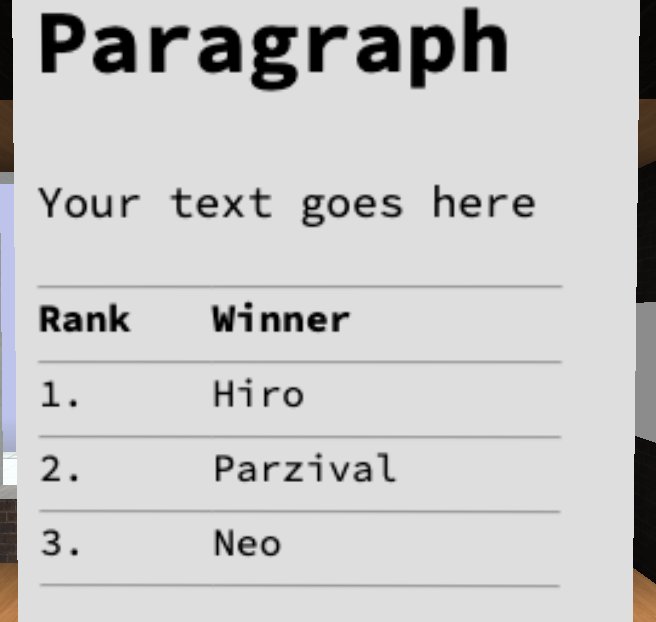
Editor 编辑器
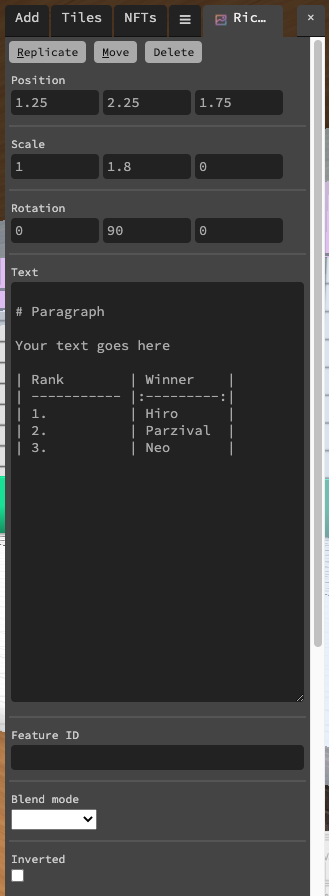
Text 文本
您要显示的文本,采用 Markdown 格式。
可以使用 css 来设置文本样式,方法是在文本后面放置下面类似的内容:
`{:style="color:red;background:green;font-size:18px"}`
Blend mode 混合模式
这用于确定文本如何与其后面的内容混合。可用选项有 Combine 组合 、Multiply 乘法 和 Screen 屏幕 。
Inverted 反转
当勾选时,文本将以白色显示在黑色背景上,而不是相反。
脚本属性
::::{tab-set}
:::{tab-item} text
String;
get()
feature.get('text')
// returns: "https://..."
set()
feature.set({'text':"my paragraph"})
default
""
:::
:::{tab-item} blendMode
String
get()
feature.get('blendMode')
// returns: 'Combine'
set()
feature.set({'blendMode': 'Combine'})
default
"Multiply"
:::
:::{tab-item} inverted
Boolean;
get()
feature.get('inverted')
// returns: false
set()
feature.set({'inverted': true})
default
false
:::
:::{tab-item} type
String;
get()
feature.get('type')
/* or */
feature.type

// returns: 'richtext'
::: ::::