Video 视频
(video)=
视频 Video
添加可点击播放的短视频。

Editor 编辑器
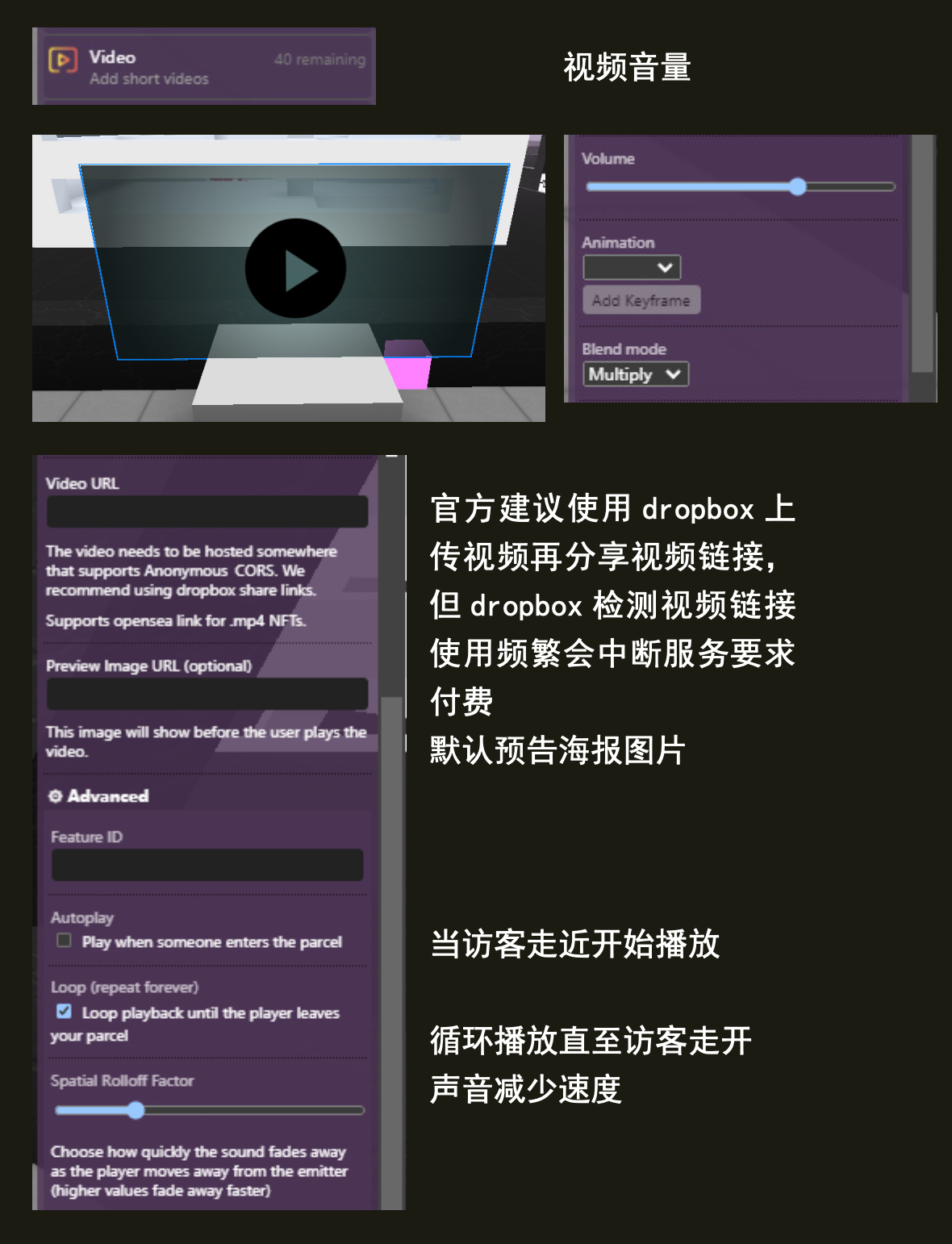
URL
要播放的视频的 URL。必须以“https://”开头,并以视频扩展名结尾,例如“.mp4”。
示例url https://raw.githubusercontent.com/leicheng42/Voxels-Wiki/main/docs/static/img/%E5%91%A8%E6%9D%B0%E4%BC%A6MTV_%E9%9D%92%E8%8A%B1%E7%93%B7.mp4
Image preview 图片预览
(可选) 让用户为视频设置自定义缩略图。
Blend mode 混合模式
这用于确定图像如何与其后面的内容混合。可用选项有 Combine 组合 、Multiply 乘法 和 Screen 屏幕 。
脚本属性
::::{tab-set}
:::{tab-item} url
String; Has to start with https:// and has to end with a video extension such as .mp4.
get()
feature.get('url')
// returns: "https://..."
set()
feature.set({'url':"https://..."})
default
""
:::
:::{tab-item} previewUrl
String; Links must be https:// and must either be a .png,.gif,.jpg.
get()
feature.get('previewUrl')
// returns: "https://..."
set()
feature.set({'previewUrl':"https://..."})
default
""
:::
:::{tab-item} type
String;
get()
feature.get('type')
/* or */
feature.type

// returns: 'video'
::: ::::
脚本方法
::::{tab-set} :::{tab-item} play()
feature.play()
plays the video :::
:::{tab-item} pause()
feature.pause()
pauses the video :::
:::{tab-item} stop()
feature.stop()
stops the video :::